
Showcase opt-in
Nothing is shown without this opt-in, and you can revoke it any time.
Step 1: Open Showcase opt-in
Tap More in the bottom bar, then Showcase opt-in under Funding.
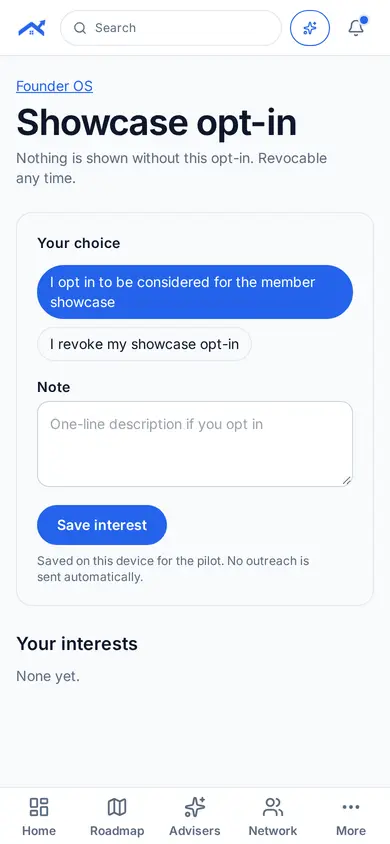
Step 2: Choose and save
Opt in or revoke, add a note and tap Save interest.
Related guides
Screenshots use demo accounts and fictional sample data; personal details are blurred. Screens may change as we improve Startup Roof.